Tami AI Review: Is It Worth B2B Lead Finder Tool in 2026?

If you’re searching Tami AI, you’re probably trying to decide if it’s worth paying for company and contact data.
I usually look at tools like this when I need to target eCommerce or merchant businesses and basic filters stop working.
Tami AI lets me search companies by payment provider, shipping provider, merchant size, and tech stack, not just industry and headcount.
It also claims to keep emails fresh, keep bounce rates under control, and push updates into my CRM when people change jobs.
I wanted to see if that actually holds up when I build lists for outbound.
In this review, I break down how Tami AI works, what the pricing really buys, and who should use it in 2026.
TL;DR: Tami AI Review
- Tami AI is a B2B lead tool built for teams that want to find new companies using payment tools, shipping partners, and website tech.
- The tool uses company filters, emails, phone numbers, and CRM updates to help teams pick who to contact and when.
- Users say the search filters are easy to use and help find niche eCommerce and merchant companies faster.

- Many reviews say market filtering is the best part of Tami AI, especially for online stores and payment-focused targets.
- Some users report that contact and company data can be wrong at times, especially for smaller or non-US/UK accounts

- Users report small UX issues, such as being logged out after inactivity and having to reload searches.
What is Tami AI?
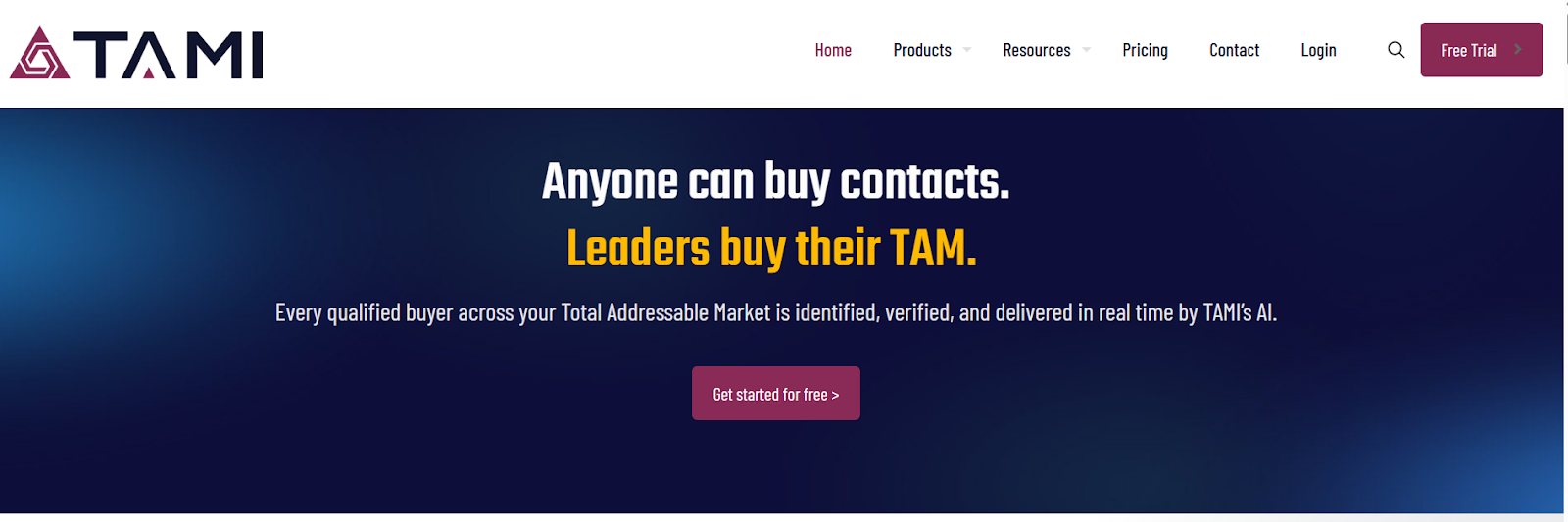
Tami AI is a B2B lead data platform that helps sales and marketing teams find companies that fit their target market.
It collects company details from the web and connected sources, then uses its data system to turn that into clear company and contact lists for go-to-market teams.
Tami AI brings company search, contact data, CRM enrichment, and alerts into one platform.
This way teams can decide who to contact, what to say, and when to reach out.
Its data engine maps websites to the right industry and sub-industry and links contacts to company records inside the CRM.
This helps teams focus on better-fit accounts and avoid broad, low-signal targeting.
How Does Tami AI Work?
Tami AI lets teams search and collect B2B company and contact data from one place, instead of using many tools and lists.
Here’s how Tami AI works step by step:
- You can search for companies by country, industry, merchant size, and business type. Tami AI scans the web to find companies that match your filters.
- You can narrow results using filters like payment providers, shipping partners, eCommerce platform, and marketing tools. This helps focus only on companies that fit your target.
- Tami AI pulls company details in near real time. This includes company name, website, industry, location, and technology used.
- It finds contacts inside each company. This includes job title, department, level, email, phone number, and LinkedIn profile.
- Emails and phone numbers are checked before export. This helps reduce bad or outdated contact details.
- Tami AI updates contact and company data over time. This includes job changes, inactive contacts, and company profile changes.
- You can use the browser plugin to find contacts while visiting company websites and social pages.
Top Features of Tami AI
Tami AI focuses on B2B company data and verified contact data. Here are the top features of Tami AI:
Tami AI Pricing
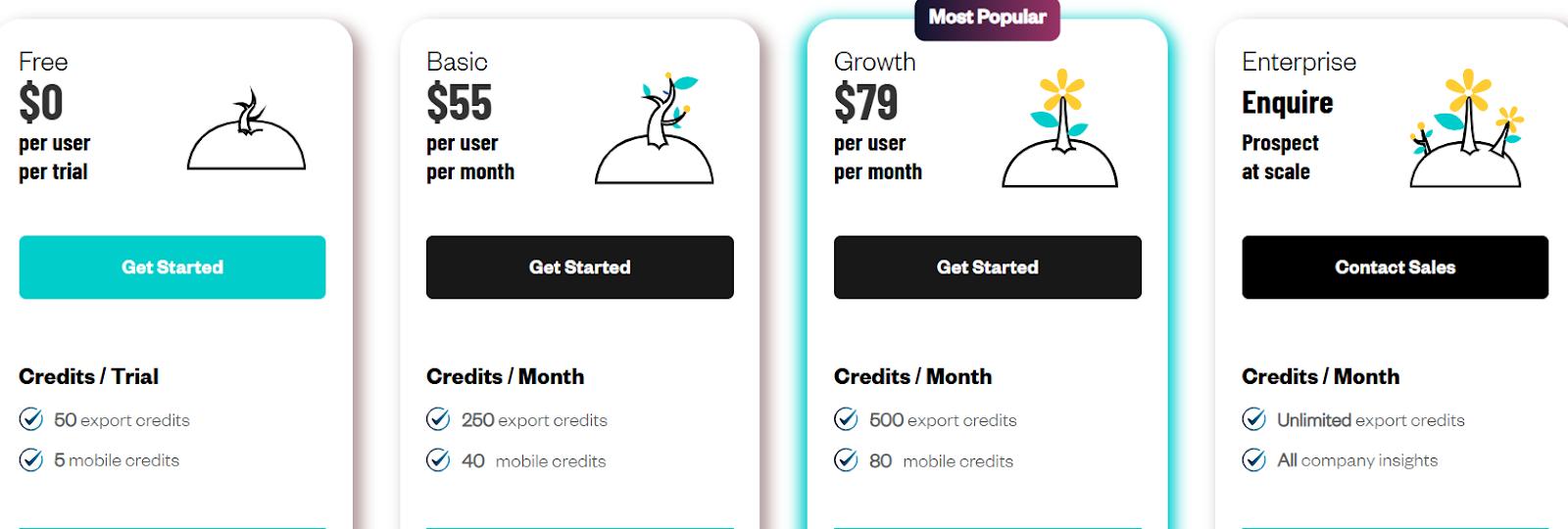
Tami AI uses a credit-based pricing model. Plans scale based on how many contacts and phone numbers teams export.
Here is how pricing works:
- Free plan: Includes 50 export credits and 5 mobile credits for testing.
- Basic plan – $55 per user per month, includes 250 export credits and 40 mobile credits.
- Growth plan – $79 per user per month, includes 500 export credits and 80 mobile credits.
- Enterprise plan – custom pricing, includes unlimited export credits and advanced features.
- One export credit = one contact record. This includes name, email, job title, LinkedIn, and company phone.
- One mobile credit = one mobile number.
- All plans include CRM sync and the Chrome plugin.
User Reviews About Tami AI
After reading many recent G2 reviews, here’s what users have frequently mentioned about Tami AI:
I. What users like about Tami AI
- Users say the filters make it easy to find leads by industry, country, size, and technology used.

- Some users say the tool is easy to learn and simple to use day to day.
- Users say the Chrome plugin helps find company data while browsing websites.
- A few users mentioned that market segmentation helps find new companies they had not seen before.
II. What users dislike about Tami AI
- Users say some emails and phone numbers are not always correct.

- Some users report missing contact details for smaller companies.
- Users mention that the tool works better with existing lists than starting from scratch for niche markets.

- Some users say finding the exact decision-maker is not always possible.
Is Tami AI An Ideal B2B Lead Finder Tool?
Tami AI is worth using when the goal is to find companies based on clear filters.
It lets teams search by country, industry, company size, and the tools a company uses.
This helps when targeting eCommerce stores, payment users, shipping partners, or martech users.
Finding companies by tech stack is where Tami AI feels strongest.
Tami AI also helps with contact discovery and CRM updates. It refreshes contact data and flags job changes over time.
Where Tami AI feels weaker is pure lead export for cold outreach. User reviews say some emails and phone numbers are not always correct.
So Tami AI works better for finding the right companies to target.
It is less reliable for exporting ready-to-send lead lists at scale.
In the next section, I’ll share an alternative that works better for daily lead building and cleaner contact export.
Best Tami AI Alternative for Lead Generation: Leadsforge
Tami AI works well if the main goal is market insights, company research, and CRM data updates.
But if the goal is to find, enrich, and export new leads for daily outreach, Leadsforge is the stronger option.
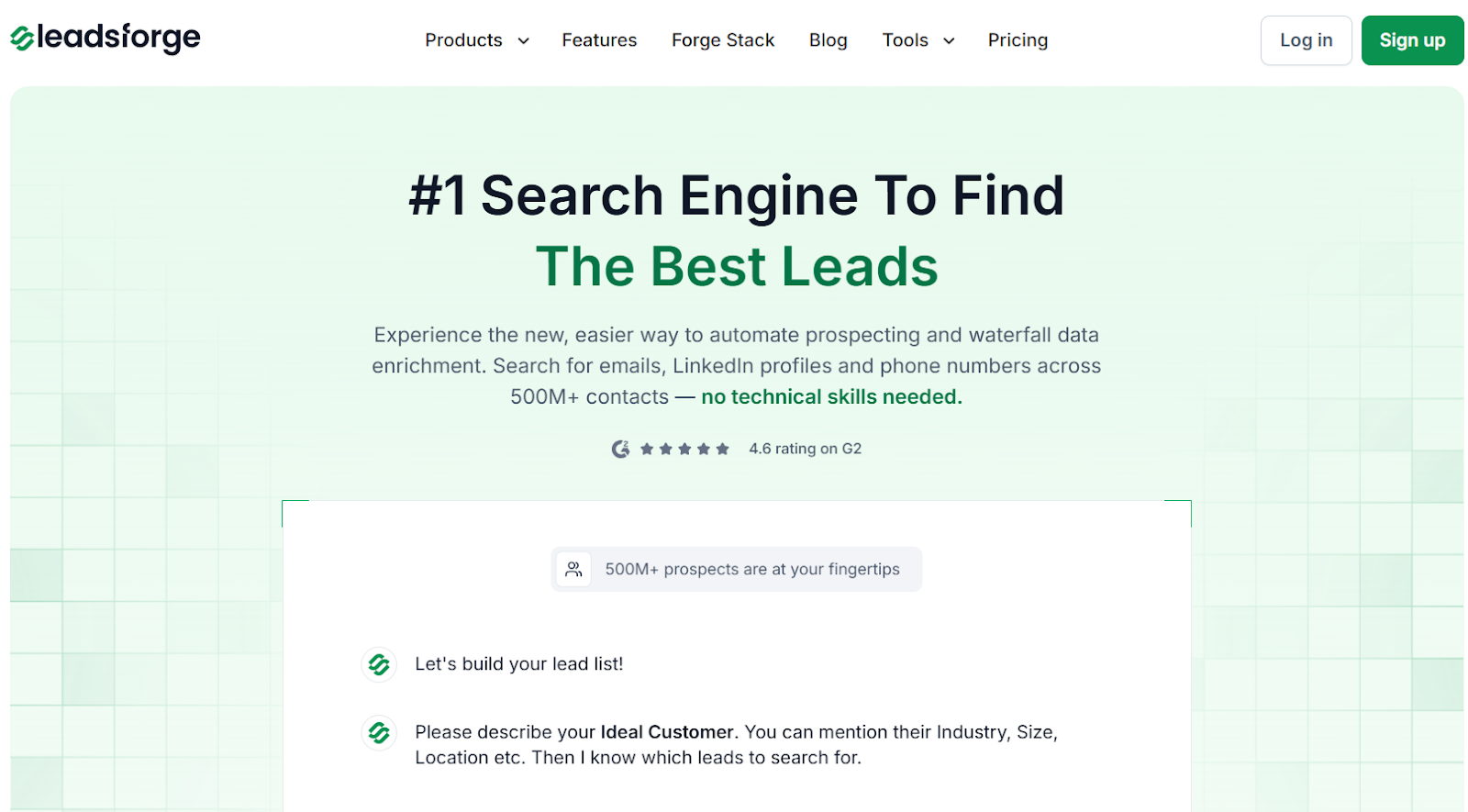
Leadsforge is a chat-based lead search engine that helps find emails, LinkedIn profiles, and phone numbers from a large B2B contact database.
I can describe the ICP in simple words and get contacts in minutes.
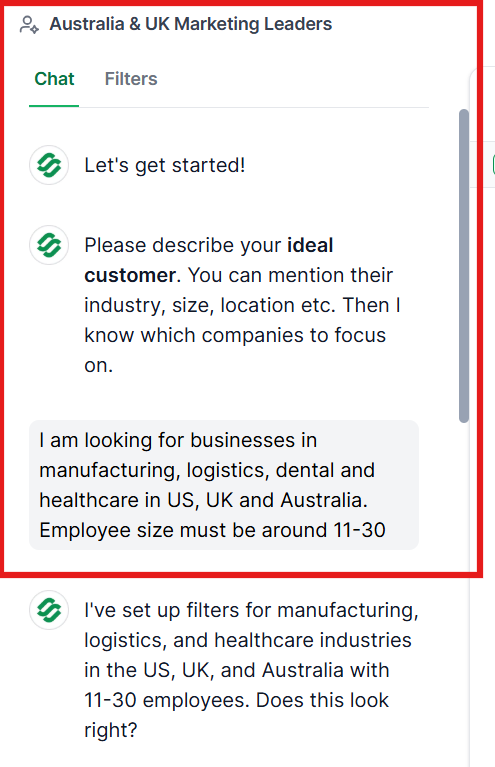
Leads can be enriched with verified emails, LinkedIn profiles, phone numbers, and intent signals before export.
From there, it is easy to push the list into Salesforge and start email or LinkedIn sequences.
When inbox health matters, I usually warm the mailboxes in Warmforge before sending.
If the volume grows, I set up domains and mailboxes in Mailforge to keep delivery stable.
This keeps lead search, sending, and deliverability checks in one connected stack.
Tami AI vs Leadsforge: Quick Comparison
Is Tami AI Worth It?
Tami AI works when the goal is company research and market views. I found it useful for scanning accounts and spotting patterns across markets.
It is slower for daily lead work. Moving from company data to ready contacts takes extra steps.
If the goal is planning and account study, Tami AI can fit. If the goal is steady outbound with fresh contacts, I use a different setup.
For contact lists, I start in Leadsforge. It helps turn an ICP into emails, LinkedIn profiles, and phone numbers fast.
Once the list is ready, I send through Salesforge. This keeps lead search and outreach in one simple flow.
If your work depends on finding contacts and sending frequently, Leadsforge is a better choice.
Try Leadsforge with 100 free credits!