Findymail Review: My 5000 B2B Emails Enrichment Review

If you’re searching for a proper Findymail review, you’ve come to the right place.
Findymail promises under 5% bounce rates. G2 shows a 4.9 rating.
Users mention sub-2% bounce, but that doesn’t tell you what happens at real outbound volume.
I ran Findymail across a 5,000-contact dataset.
I checked match rate, verification labels, catch-all handling, and how many credits actually got used.
Then I sent campaigns to measure bounce impact.
In this review, I’ll break down:
- How accurate were the emails?
- Whether the <5% bounce claim held up
- Where the credit model starts to feel expensive
- And who Findymail is for
If email accuracy is your main risk, this will answer it clearly.
Findymail Review: Key Takeaway
- Findymail is a B2B email finder and verification tool built for outbound teams that care about bounce rate and data accuracy.
- It has a 4.9 out of 5 rating on G2 and positions itself as verified-email-only.
- The Chrome extension is frequently highlighted for scraping LinkedIn Sales Navigator and Apollo.
- Bulk enrichment is praised for speed, with thousands of emails found in minutes.
- Findymail uses a credit-based model. One email costs one credit, and one phone number costs ten credits. You only pay when a verified result is found.
- Credits roll over, but bulk enrichment can consume them quickly once volume increases.
Findymail excels at email accuracy and list cleaning.
It is less built for large-scale lead discovery compared to database-first tools.
I compared Findymail and one such tool, Leadsforge, in the table below:
Findymail vs Leadsforge: Quick Comparison
What is Findymail?
Findymail is a B2B email finder and verification platform built for outbound teams.
The platform helps find verified work emails and mobile numbers from names, domains, and LinkedIn profiles.
It validates emails before returning them, so only verified business emails are delivered.
Bulk enrichment is a major use case. I can upload a CSV file and process thousands of contacts in one run.
Findymail brings email finding, phone lookup, bulk enrichment, API access, and CRM integrations into one workflow.
The Chrome extension allows scraping and verification directly from LinkedIn Sales Navigator and Apollo.
Findymail also offers Intellimatch. I can describe my target companies and generate matching leads.
How Findymail Works?
When I tested Findymail, the workflow felt simple. It follows a simple input, validation, and export process.
Here’s how it works:
- Step 1: Input Prospect Data - I entered a full name and company domain, company name, or a LinkedIn profile URL.
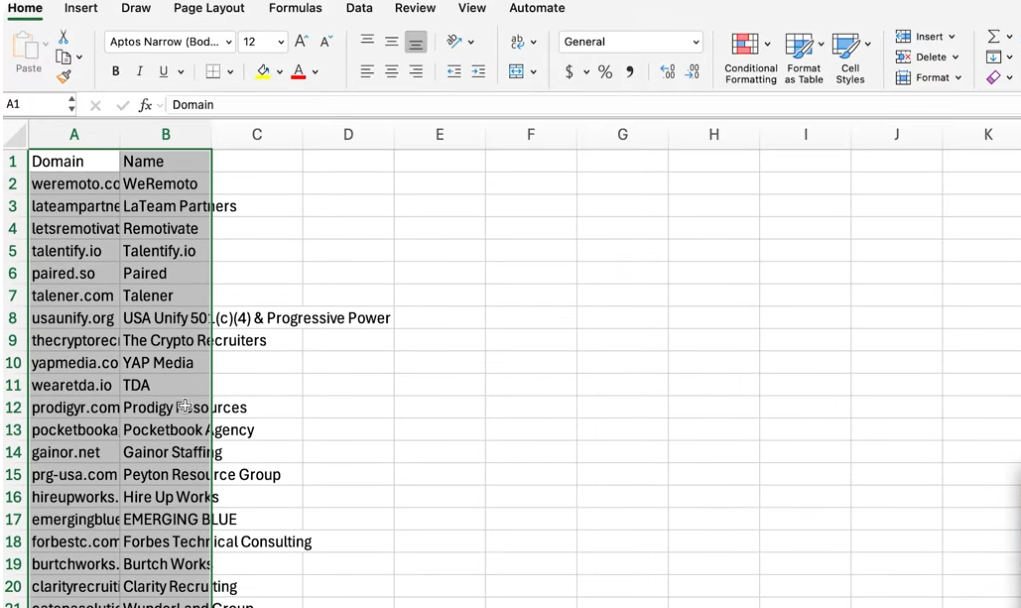
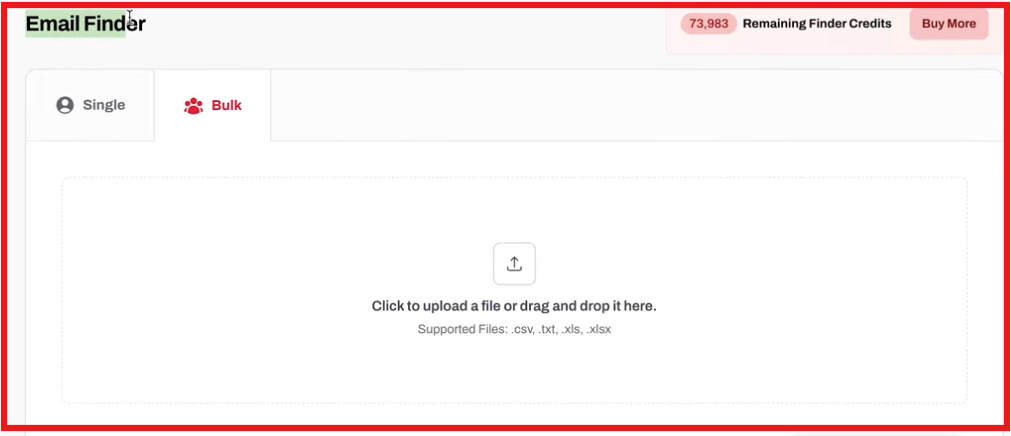
For bulk workflows, you can upload a CSV file with multiple contacts.
- Step 2: Email & Phone Lookup - Findymail searches for matching business emails and mobile numbers tied to that prospect.
- Step 3: Real-Time Verification - Before returning results, the platform validates each email.
It checks catch-all domains and runs deeper verification logic. A credit is only used if a verified result is found.
- Step 4: Bulk Enrichment - When I uploaded larger files, Findymail processed thousands of rows in one run.
Verified emails were appended directly to the file, so I did not need a second verifier.
- Step 5: Export or Push to Tools - Once results are ready, I can download a CSV or push contacts into a CRM or sequencer.
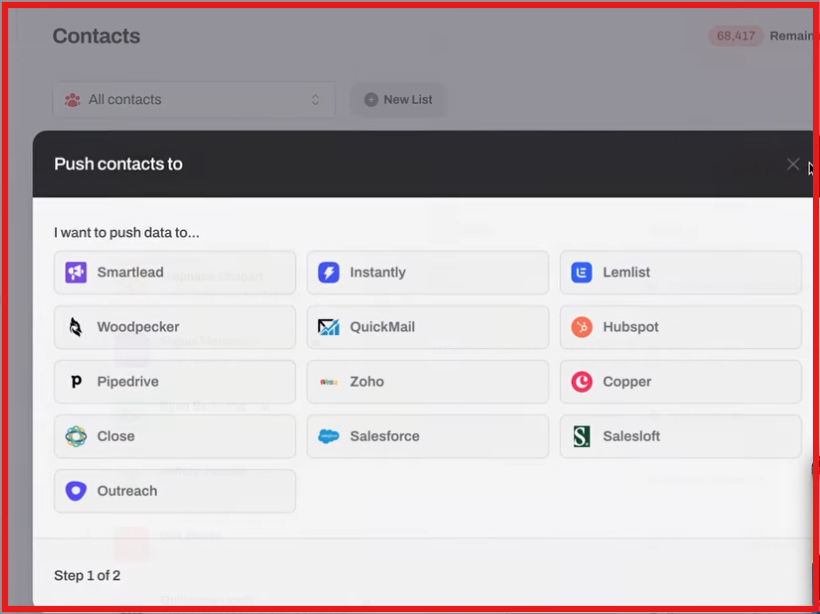
Native integrations and API access support automated workflows.
- Step 6: AI Lead Search with Intellimatch (Optional) - Instead of uploading a list, you can describe your target companies in plain English.
Intellimatch generates matching companies and contacts.
The same verification logic runs before export.
The model is credit-based. One email costs one credit. One phone number costs ten credits.
If no verified result is found, no credit is used.
I would use Findymail to clean and verify data before sending.
I would still need to move verified contacts into an outreach platform like Salesforge to LinkedIn sequences at scale.
Top Features of Findymail
Findymail focuses on verified B2B contact data for outbound teams.
Here are the top features of Findymail:
These features make Findymail primarily an email verification and enrichment platform, with AI-powered lead discovery layered on top.
Findymail Pricing
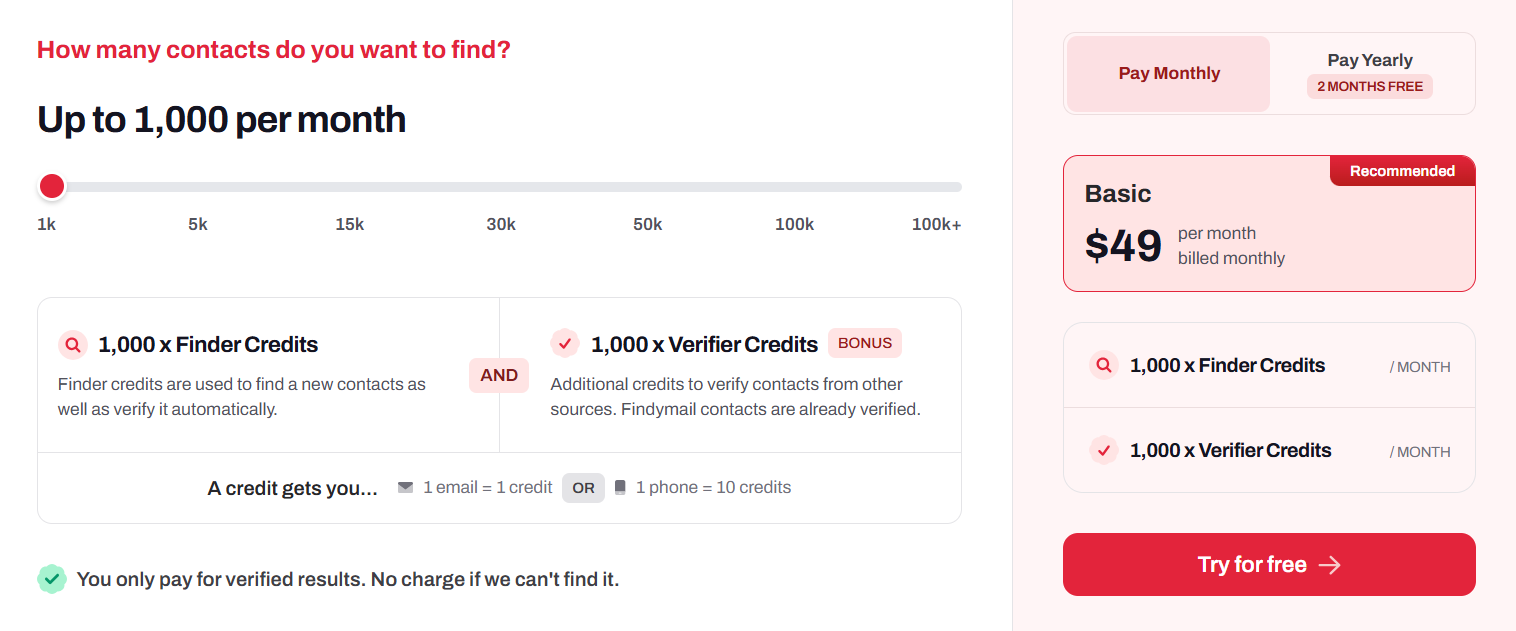
Findymail uses a credit-based pricing model.
Plans scale based on how many verified emails and phone numbers you want to find each month.
- Basic plan – $49 per month (billed monthly), includes 1,000 Finder credits and 1,000 Verifier credits per month.
- Higher tiers – 5k to 100k+ credits per month, pricing increases based on monthly credit volume.
- Enterprise plan – Custom pricing, designed for teams that need higher limits, auto-refill, or dedicated support.
One Finder credit equals one verified email. One phone number costs ten credits.
You only pay when a verified result is found.
If no valid email or phone is returned, no credit is used.
Unused credits roll over month to month.
The total balance is capped at two times your monthly credit allocation.
Findymail also offers 10 free credits to test accuracy before upgrading.
Pros and Cons of Findymail
User Reviews About Findymail
From what I saw in reviews, most users focus on email accuracy, low bounce rates, and ease of use.
Here is what users like and dislike about using Findymail.
I. What Users Like About Findymail:
- Many users say the email accuracy is significantly higher than other tools they tested. Several reviews mention bounce rates under 2%.

- A lot of feedback highlights real-time verification. If an email is returned, users say it is usually safe to send without a second verifier.
- The Chrome extension is mentioned often. Users like scraping from LinkedIn Sales Navigator and Apollo directly.

- Bulk enrichment is praised for speed. Some reviewers mention finding thousands of emails in minutes.
- Support is described as responsive and helpful, especially by agency owners and small teams.
II. What Users Dislike About Findymail:
- Some users mention that phone numbers cost more credits, which increases spend at scale.
- A few reviewers note that LinkedIn Sales Navigator is required for certain scraping workflows.

- There are comments about credit rollover being capped at 2× the monthly plan.
- A small number of users report occasional integration issues inside Clay that require re-running cells.

- One reviewer mentioned duplicate credit charges when enriching the same contacts in specific workflows.
Overall, reviews show strong satisfaction with accuracy and reliability.
Most users say Findymail delivers consistent results for outbound teams.
Is Findymail an Ideal B2B Email Finder Tool?
Findymail is worth using when the goal is to find verified B2B emails from known contacts.
It lets me search using full name plus company domain or enrich bulk CSV files.
This helps when I already have leads from LinkedIn Sales Navigator, Apollo, or another source.
Finding accurate, low-bounce emails is where Findymail feels strongest.
It verifies emails before returning them, so I do not need a second verification tool.
Where Findymail feels weaker is in large-scale company discovery from scratch.
It is not positioned primarily as a large static contact database.
So Findymail works better as a verification and enrichment layer.
It is better suited for enrichment and verification than large-scale database prospecting.
In the next section, I will cover when a full lead search engine becomes a better fit.
A Better Alternative to Findymail for Lead Generation: Leadsforge
Findymail is useful when I already have names or domains and just need verified emails.
But when the problem is “I need more qualified leads to reach out to,” Leadsforge is the better option.
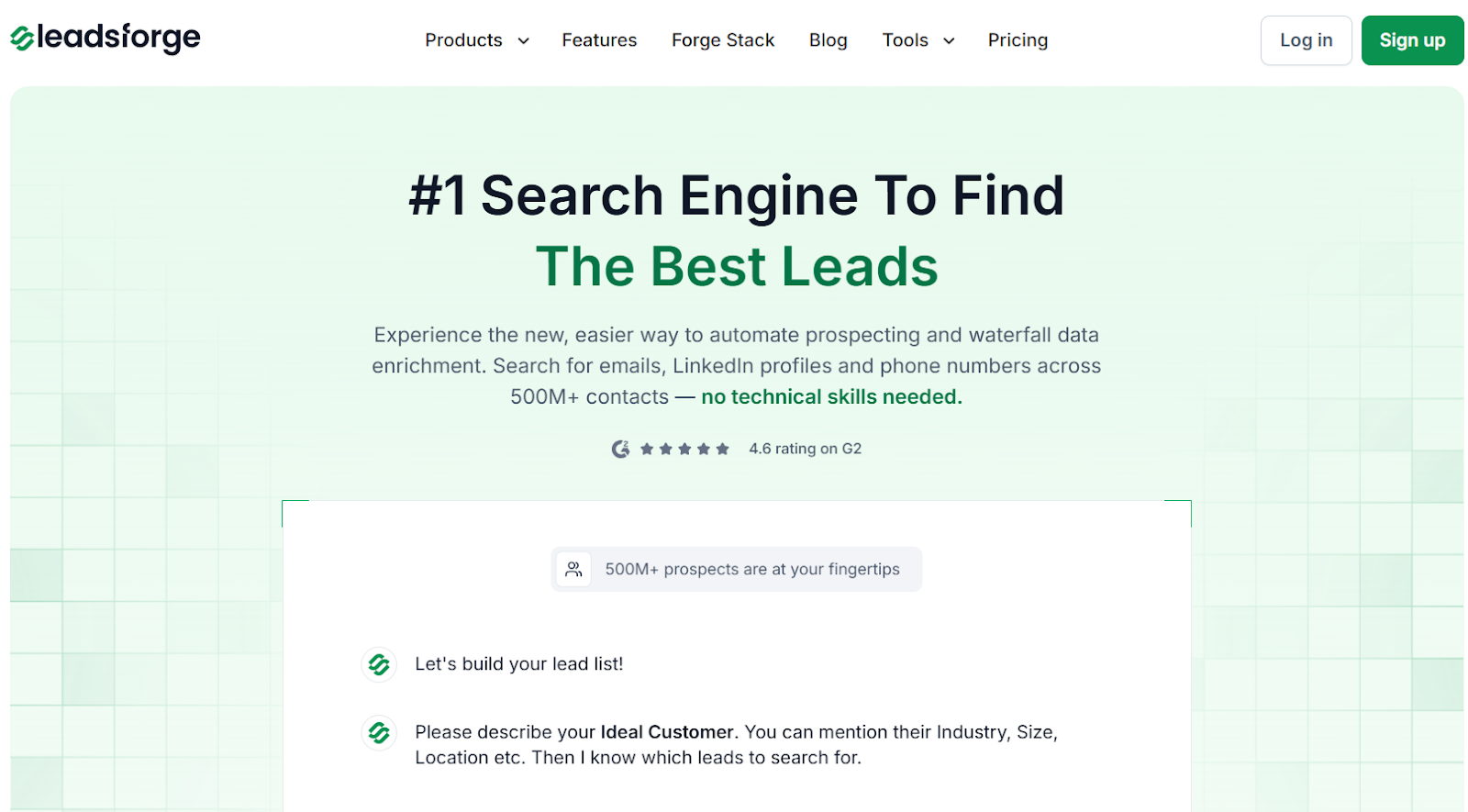
Leadsforge works like a search engine for B2B leads.
I describe my ideal customer in simple words, and it returns matching contacts from a 500M+ database.

I can enrich each lead with verified emails, LinkedIn profiles, and mobile numbers before exporting.
It also supports lookalike company search and competitor follower targeting.
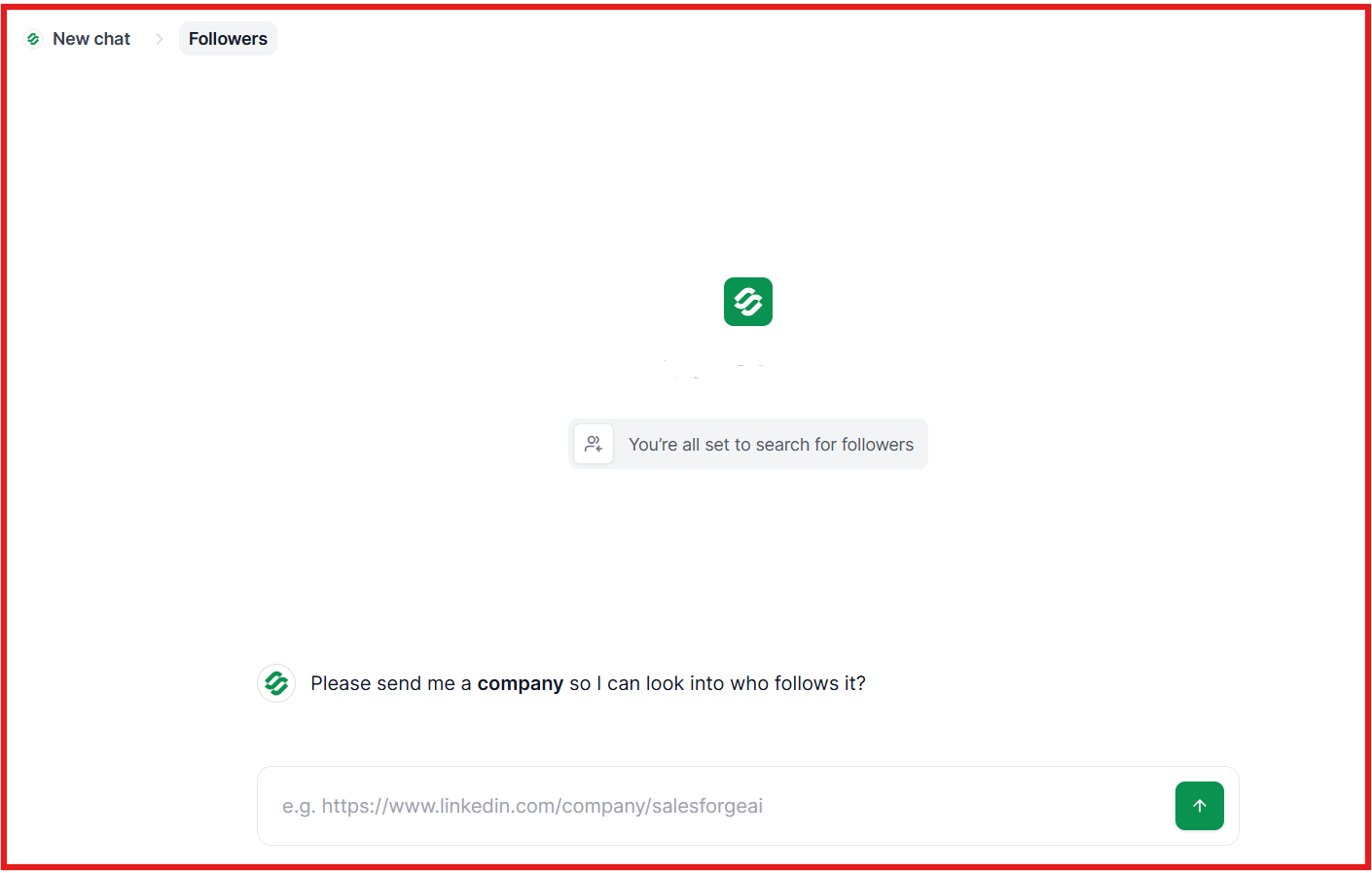
Once the list is ready, I push it into Salesforge and launch email + LinkedIn sequences.
That keeps prospecting and sending aligned.
If you already have names from Apollo or LinkedIn and just need clean emails, Findymail is enough.
But if you need to generate new leads based on your ICP and launch outreach fast, you can use Leadsforge.
Is Findymail Worth It?
I found Findymail useful when the goal was to find verified B2B emails and phone numbers.
It works well for name and company lookup, LinkedIn-based search, and bulk CSV enrichment.
The main strength is built-in email verification.
Only verified emails are returned, and the platform guarantees under 5% bounce.
Findymail also offers an AI-based company search through Intellimatch.
But it is primarily an email and phone data tool. It is not positioned as a full outreach platform.
You still need a separate system to run email and LinkedIn campaigns.
That is where Leadsforge and Salesforge can fit into the workflow.
I can generate or enrich leads in Leadsforge, then push them into Salesforge to launch outreach.
Try Leadsforge now with 100 free credits and start building your next list.