Why Users Look for Dripify Alternatives for Data Enrichment?
Dripify is widely used for LinkedIn automation, but many users face roadblocks when it comes to lead data quality, setup, and list management.
If your priority is getting accurate work emails, verified phone numbers, or easier lead handling, Dripify may not fully meet your needs.
Here are the most common limitations that push users to look for Dripify alternatives focused on B2B data enrichment:
Dripify only pulls LinkedIn-associated email addresses, which are often personal emails rather than verified work emails. This makes it less useful for sales teams who need professional contact data.
Users report issues with importing leads from LinkedIn Sales Navigator. Several reviewers mention failed imports, missing leads, and errors when using saved searches.
Exporting notes, leads, and campaign data is difficult. Reviewers say the platform lacks a clean way to export campaign data, and Excel formatting can be problematic.
Campaign drip schedules feel rigid or hard to configure. Some users feel the current drip logic doesn’t offer enough flexibility for follow-ups or A/B tests.
Dripify’s setup can be confusing for first-time users. Without help from the support team, users often struggle to understand credits, integrations, or automation flow.
The platform lacks deep enrichment capabilities. It does not verify emails from outside LinkedIn or enrich data across multiple sources.
These limitations make Dripify harder to rely on as a data-first lead generation tool, which is why many teams switch to tools that focus on enrichment first, automation later.
How We Evaluated These Dripify Alternatives
To find the most useful Dripify alternatives, we focused on what matters most when the goal is B2B data enrichment, not LinkedIn automation.
Many teams comparing Dripify want better lead data before outreach.
So we evaluated each tool based on how well it helps you find, enrich, and manage contact data.
Here’s how we evaluated the 7 best Dripify alternatives:
Lead data quality and accuracy, to check whether emails and phone numbers are verified, usable, and not outdated.
Ease of lead discovery, including how easily you can find the right people using simple search, filters, or LinkedIn-based workflows.
Depth of data enrichment, such as support for work emails, phone numbers, and LinkedIn profile enrichment.
Data sources and enrichment method, to see whether the tool relies on a single source or combines data from multiple sources.
Export and data handling, including how easy it is to export leads, manage lists, and use the data in other tools.
Pricing and flexibility, to understand whether the tool is cost-effective for small teams and scalable for growing teams.
Each tool was reviewed based on how well it supports data-first lead generation, especially for teams looking for a stronger alternative to Dripify when enrichment matters more than automation.
1. Leadsforge – Chat-Based Lead Discovery & Enrichment
This image shows the Leadsforge homepage
Leadsforge is a B2B lead discovery and data enrichment tool built for teams that want accurate contact data before outreach.
Instead of setting up complex filters, you search for leads by describing your ideal customer in plain language, similar to chatting with ChatGPT.
Leadsforge focuses on helping you find the right people first, then enrich those contacts with work emails, LinkedIn profiles, and phone numbers using multiple data sources.
Personalized Outbound Strategy
Get The Right Outbound Strategy In Minutes
Enter your email to get a custom plan & stack recommendation for your
business
It's being carefully crafted by AI
Please check your mailbox in 5 minutes
Key Features of Leadsforge
Chat-based ICP search allows you to describe your target audience in natural language, such as job title, industry, company size, funding status, and location.
This image shows the Leadsforge ICP based lead generation
Company lookalike search lets you input company domains or names to find and enrich similar companies automatically.
This image shows the Find lookalike audience with Leadsforge
Company follower search turns followers of a company or competitor into a ready-to-enrich lead list, which is useful for finding high-intent prospects.
This image shows the Leadsforge competitor follower feature
Instant data enrichment adds verified work emails, LinkedIn profiles, and mobile numbers to your lead lists on demand.
Intent and signal enrichment can be added to identify buying intent, such as hiring activity, product launches, or expansion signals.
Pros of Leadsforge
The chat-based workflow makes lead discovery easy and fast.
Enrichment includes emails, LinkedIn profiles, and phone numbers in one place.
Credits do not expire, which reduces wasted spend.
Lookalikes and follower-based searches help uncover high-intent leads.
Exporting and using lead data is straightforward.
Cons of Leadsforge
Leadsforge does not automate LinkedIn outreach.
Outreach requires exporting leads or using a separate outreach tool.
Leadsforge vs Dripify: Quick Comparison
Feature
Leadsforge
Dripify
Primary focus
Lead discovery & data enrichment
LinkedIn & email automation
Search method
Chat-based ICP search
LinkedIn search imports
Work emails
Yes
Yes (email finder + verifier)
Lookalike companies
Yes
No
Company followers
Yes
No
LinkedIn automation
No
Yes
Best for
Data-first lead sourcing
Automated outreach workflows
Leadsforge Pricing
This image shows the Leadsforge pricing
Leadsforge uses credit-based pricing, which gives more control over usage.
Monthly plan: $49/month, includes 2,000 export credits. Unused credits roll over.
Yearly plan: $588/year, includes 28,000 credits upfront at a discounted rate.
Add-on credits: Available if you need more exports.
Free trial: 100 free credits on signup, no credit card required.
Lusha is a B2B sales intelligence and data enrichment tool built for teams that want verified contact data at scale.
It focuses on giving you access to a large contact database, enriched company data, and buying signals so teams can reach the right people faster.
Key Features of Lusha
Advanced prospecting filters allow you to find contacts using job title, seniority, industry, location, company size, technology, funding, and job-change data.
Intent and buying signals help identify companies that are actively researching or showing interest in specific solutions.
CRM and sales tool integrations sync contact and company data with tools like Salesforce, HubSpot, and other sales platforms.
Automated enrichment workflows help keep CRM data clean and up to date without manual work.
Pros of Lusha
Lusha provides a large and verified B2B contact database.
The platform supports both email and direct phone number enrichment.
Intent data helps teams prioritize accounts showing buying activity.
The Chrome extension makes prospecting faster on LinkedIn and websites.
Cons of Lusha
Phone number reveals use more credits than email reveals.
Credit usage can increase quickly for high-volume teams.
Outreach automation is not the core focus of the platform.
Lusha vs Dripify: Quick comparison
Feature
Lusha
Dripify
Primary focus
Sales intelligence & data enrichment
LinkedIn & email automation
Contact database
Yes (emails + phones)
Limited
Intent & buying signals
Yes
No
Chrome extension
Yes
Yes
LinkedIn automation
Limited
Yes
Best for
Data-first prospecting
Automated outreach workflows
Lusha Pricing
This image shows the Lusha pricing
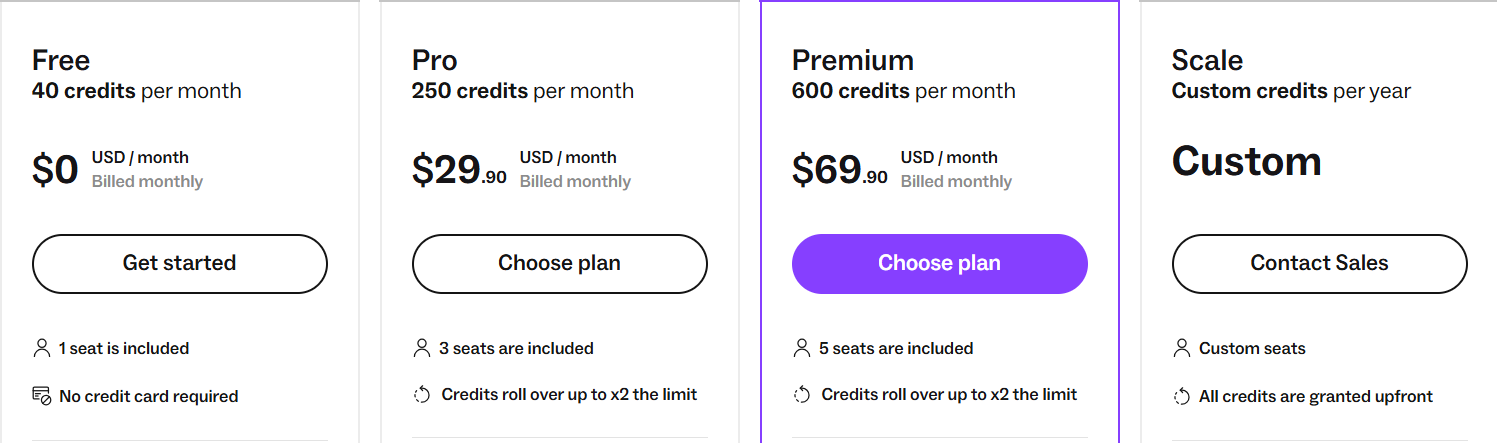
Lusha uses a credit-based pricing model where credits are consumed when contact details are revealed.
Free plan: 40 credits per month, no credit card required.
Pro plan: $29.90/month 250 credits per month with multiple seats.
Premium plan: $69.90/month 600 credits per month with higher limits and features.
Scale plan: Custom credits and advanced enrichment capabilities.
Credits are typically used per action, such as revealing emails or phone numbers.
4. Wiza – Real-Time Prospecting & Data Enrichment
This image shows the Wiza homepage
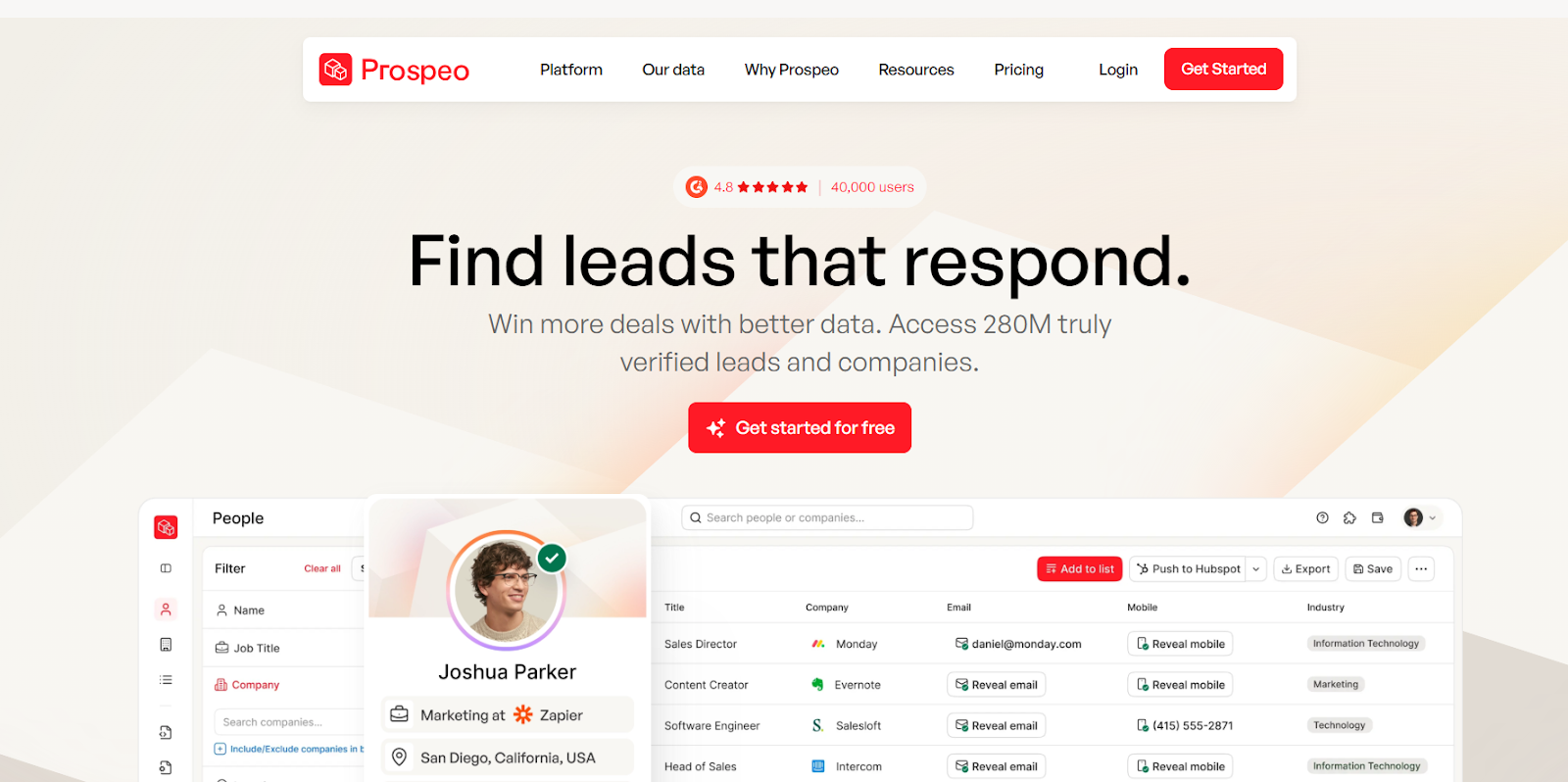
Wiza is a B2B prospecting and data enrichment platform built for teams that need real-time verified contact data for outreach.
It focuses on finding accurate emails and phone numbers at the moment you request them, instead of relying on static databases.
Key Features of Wiza
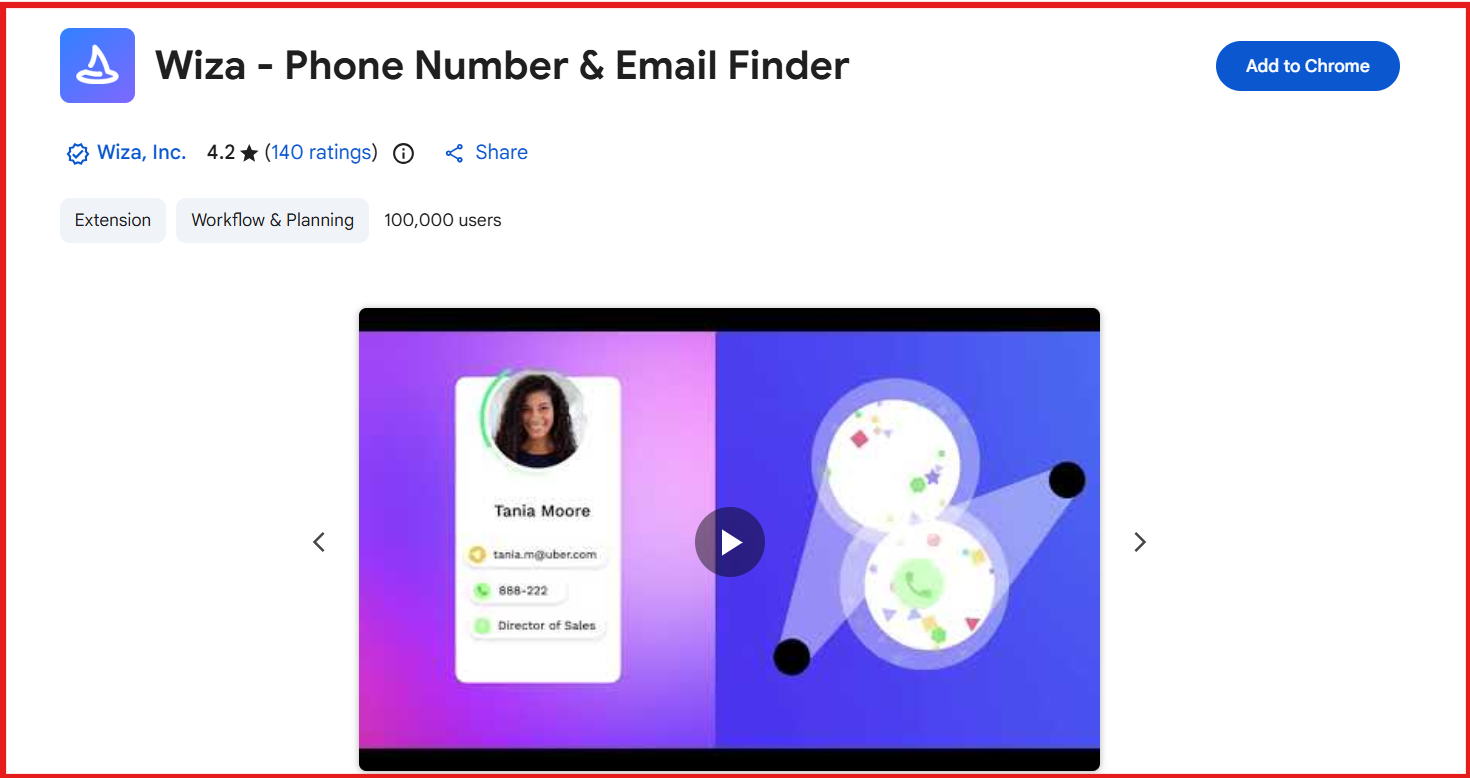
Chrome extension reveals verified emails and phone numbers directly on professional social networks and websites, with bulk export support.
This image shows the Wiza chrome extension
Built-in email verification verifies emails in real time and only charges for valid results.
Multiple contact points include work emails, personal emails, direct dials, and mobile phone numbers.
Advanced filters and list building allow you to search by job title, seniority, company size, industry, location, revenue, funding, and more.
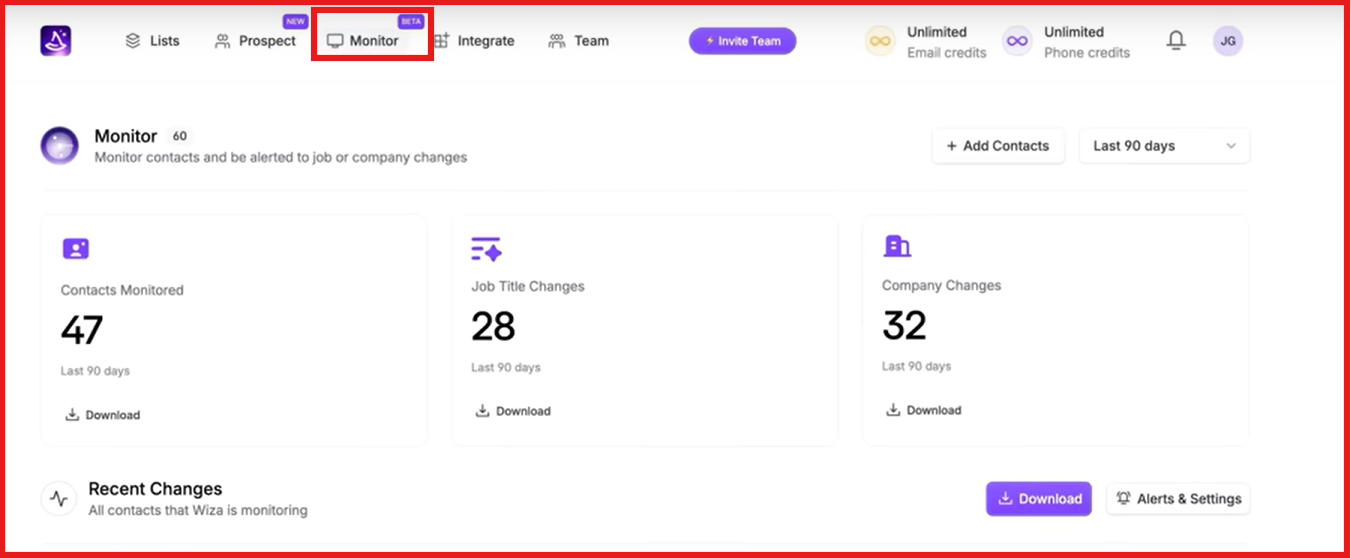
Wiza Monitor tracks job changes and alerts teams when key contacts move roles or companies, helping with timing and CRM accuracy.
This image shows the Wiza monitor alerts
Pros of Wiza
Wiza focuses on real-time verified contact data instead of static records.
Phone numbers and multiple email types are available.
Job-change monitoring helps keep CRM data accurate.
Cons of Wiza
Phone numbers cost more than email credits.
Outreach automation is not the main focus of the platform.
Pricing can scale quickly for high-volume teams.
Wiza vs Dripify: Quick comparison
Feature
Wiza
Dripify
Primary focus
Real-time data & enrichment
LinkedIn & email automation
Contact database
Yes (emails + phones)
Limited
Real-time verification
Yes
No
Job change tracking
Yes (Wiza Monitor)
No
LinkedIn automation
No
Yes
Best for
Fresh, verified lead data
Automated outreach workflows
Wiza Pricing
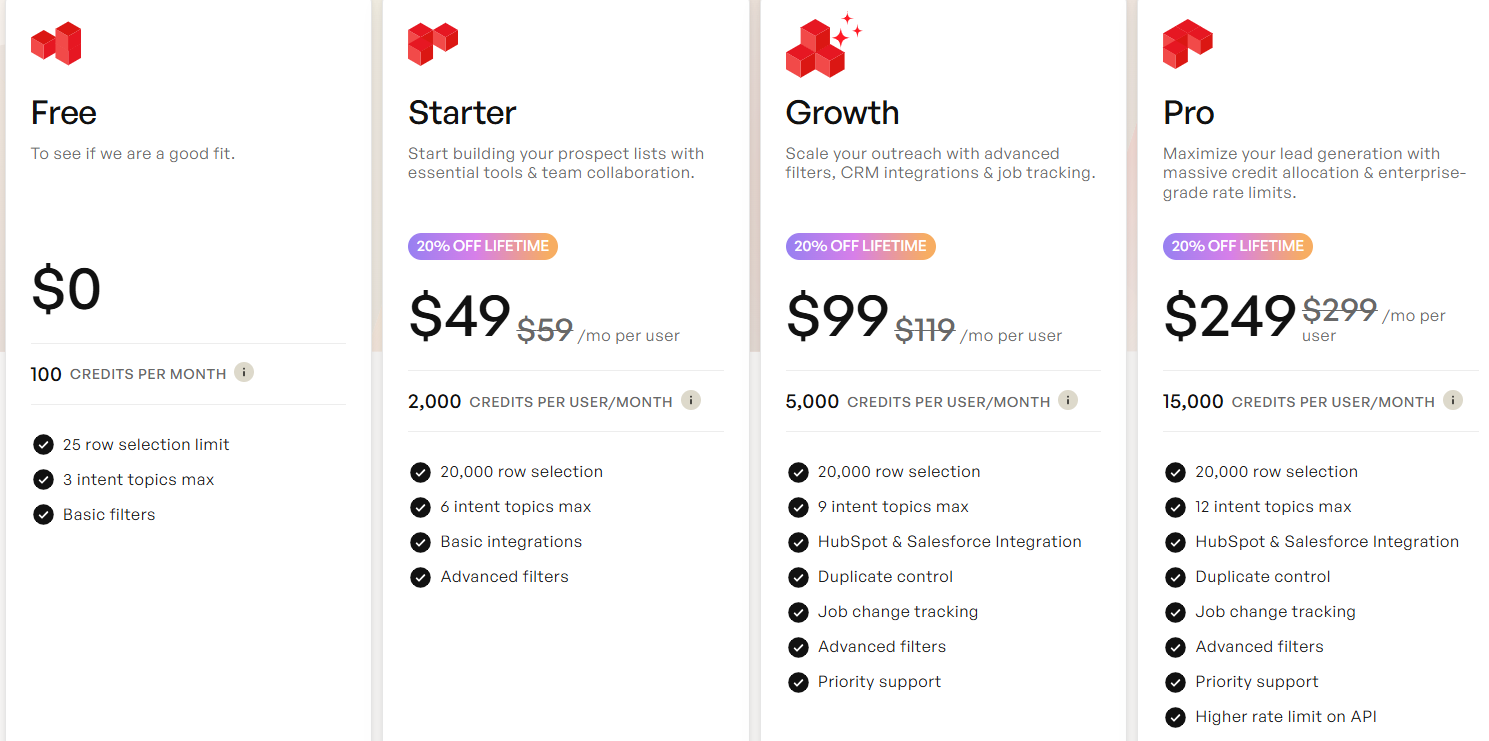
This image shows the Wiza pricing
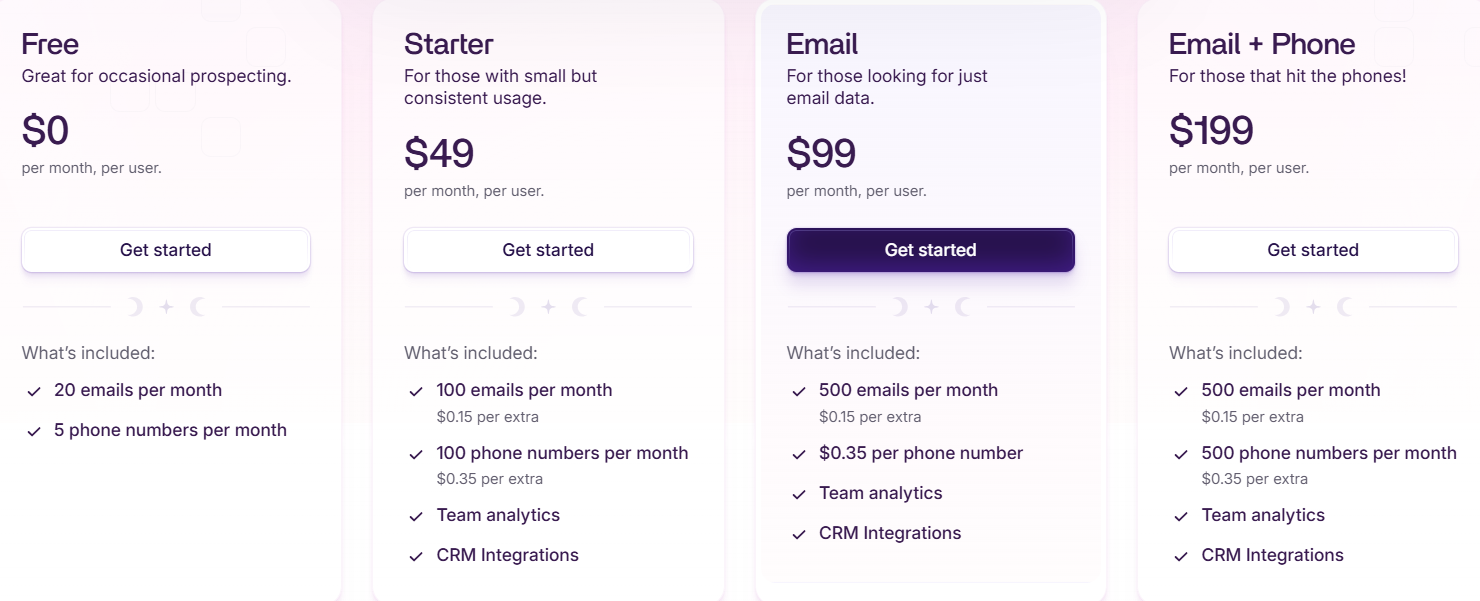
Wiza uses per-user pricing based on email and phone usage.
Free plan: $0 per user/month, includes 20 emails and 5 phone numbers per month
Starter plan: $49 per user/month, includes 100 emails and 100 phone numbers per month, extra emails cost $0.15 each, extra phone numbers cost $0.35 each
Email plan: $99 per user/month, includes 500 emails per month, extra emails cost $0.15 each, phone numbers cost $0.35 each
Email + Phone plan: $199 per user/month, includes 500 emails and 500 phone numbers per month, extra emails cost $0.15 each, extra phone numbers cost $0.35 each
Team plan: Starting at $399 per month (billed annually, minimum 3 users), includes unlimited emails and phone numbers
Usage is billed only for emails and phone numbers you export or verify.
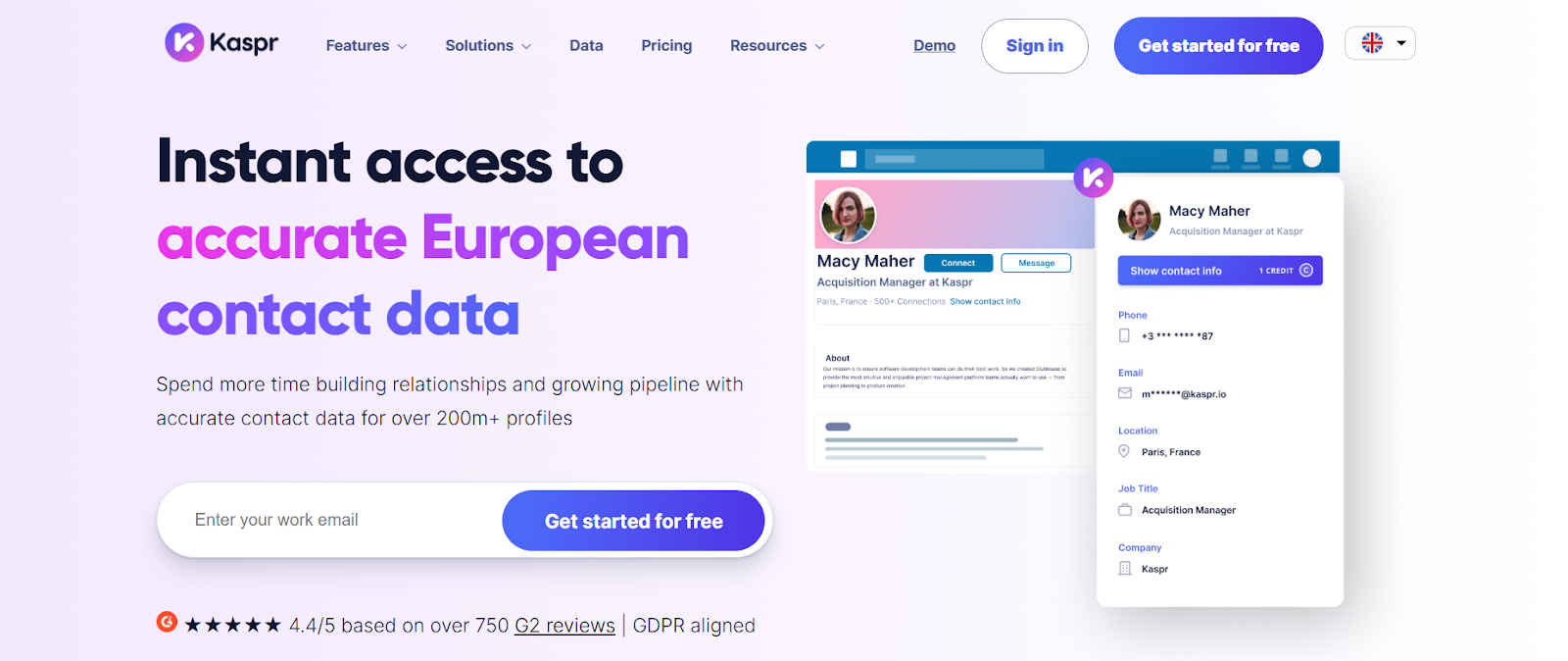
Kaspr is a B2B contact data and enrichment tool built for teams that want accurate European emails and phone numbers from LinkedIn.
Instead of chat-based search, Kaspr works mainly through a LinkedIn Chrome Extension, where you reveal contact details directly on profiles, searches, and saved lists.
Kaspr focuses on helping you get verified contact data fast, especially direct phone numbers, and then export or sync those contacts to your CRM or sales tools.
Key Features of Kaspr
European-focused contact data with strong coverage across EU markets and decision-makers.
Verified phone numbers designed for cold calling, updated in real time.
Bulk data enrichment allows you to upload CSV files or enrich LinkedIn search lists at scale.
This image shows the Automate enrichment workflow on Kaspr
API access enables automated enrichment for technical and data teams.
Pros of Kaspr
Fast setup with no complex onboarding.
Supports bulk enrichment and CRM sync.
Free plan available to test data quality.
Cons of Kaspr
Kaspr does not automate LinkedIn or email outreach.
Credit limits can restrict high-volume usage.
Kaspr vs Dripify: Quick Comparison
Feature
Kaspr
Dripify
Primary focus
Contact data & enrichment
LinkedIn & email outreach automation
Lead discovery
LinkedIn profiles & Sales Navigator
LinkedIn search imports
Work emails
Yes
Yes (email finder)
Phone numbers
Yes
No
Lead enrichment
Contact-level enrichment
LinkedIn-based enrichment (30+ attributes)
Best for
Data-first prospecting, especially Europe
Automating LinkedIn & email outreach
Kaspr Pricing
This image shows the Kaspr pricing
Free plan: Limited monthly email and phone credits.
Starter plan: $65/month per user with unlimited B2B emails and limited phone credits.
Business plan: $99/month per user with higher phone, export, and API limits.
Enterprise plan: Custom pricing with unlimited credits and advanced controls.
RocketReach is a B2B contact data and lead intelligence platform built for teams that need verified emails, phone numbers, and company insights before outreach.
Instead of chat-based search, RocketReach focuses on filter-based prospecting using job titles, companies, technologies, intent data, and recent news signals.
RocketReach helps teams find decision-makers, then enrich those contacts with verified work emails, personal emails, and phone numbers, with real-time verification.
Key Features of RocketReach
Advanced search filters for role, department, management level, location, technologies, and job changes.
Intent data and news signals to help reach prospects at the right time.
Browser extension to find contact details directly on LinkedIn and company websites.
Contact Data API for enrichment and automation with large-scale workflows.
Autopilot (beta) to automatically discover and engage prospects using workflows.
Pros of RocketReach
Very large and global contact coverage.
Supports intent data, technographics, and news signals.
Works well with CRMs like Salesforce and HubSpot.
Cons of RocketReach
Uses lookup-based pricing, which can get expensive at scale.
Not chat-based or conversational for lead discovery.
Outreach automation is limited compared to full LinkedIn automation tools.
RocketReach vs Dripify: Quick Comparison
Feature
RocketReach
Dripify
Primary focus
Contact data & enrichment
LinkedIn & email automation
Search method
Filter-based database search
LinkedIn profile imports
Work emails
Yes
Yes (email finder + verifier)
Phone numbers
Yes
Not explicitly confirmed
Intent & news data
Yes
No
LinkedIn automation
No
Yes
Best for
Data-heavy prospecting
Automated outreach workflows
RocketReach Pricing
This image shows the RocketReach pricing
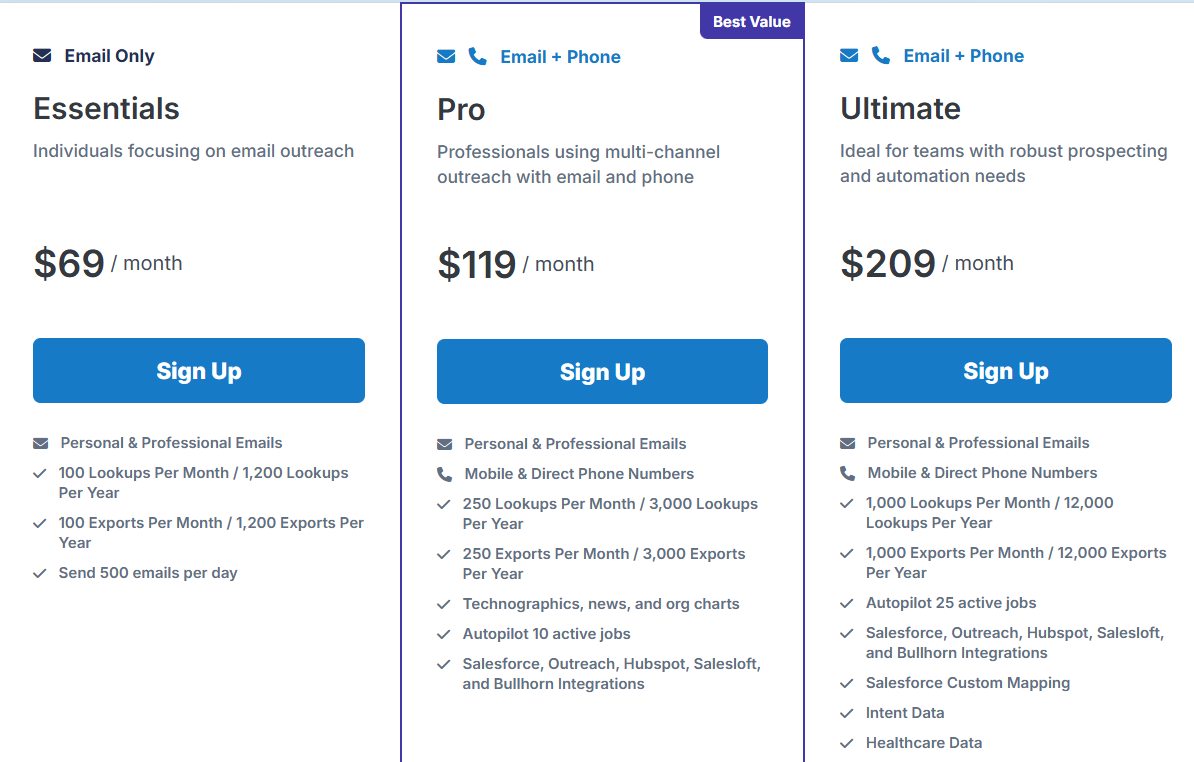
RocketReach uses per-user, lookup-based pricing.
Free plan: Limited free lookups for new users.
Essentials plan: $69/user/month, includes 100 lookups per month, email-only.
Pro plan: $119/user/month, includes 250 lookups, email + phone data.
Ultimate plan: $209/user/month, includes 1,000 lookups, intent data, healthcare data, and advanced integrations.
Custom team plans: Start at $6,000/year for larger teams.
Credits are used only when verified email or phone data is found.
Personalized Outbound Strategy
Get The Right Outbound Strategy In Minutes
Enter your email to get a custom plan & stack recommendation for your
business
It's being carefully crafted by AI
Please check your mailbox in 5 minutes
Which Dripify Alternative Should You Choose?
Choosing the right tool depends on what matters most to you, lead quality, automation depth, outreach channels, or ease of use.
Here’s a quick guide to help you choose the best Dripify alternative:
If you want automated LinkedIn and email outreach with sequences and follow-ups → Go with Dripify.
If you want verified emails, phone numbers, intent data, and company insights before outreach → Use RocketReach.
If you want the simplest way to find the right B2B leads using plain-language search → Go with Leadsforge.
If you want enrichment plus outreach in one platform with more automation controls → Consider tools like Smartlead or Saleshandy.
If your priority is finding clean, verified B2B leads first, without setting up complex automation, Leadsforge is the better choice.
You can find verified emails, phone numbers, LinkedIn profiles, and intent signals in seconds.