5 Best CuFinder Alternatives We Tried & Tested in 2026

CuFinder is widely used to look up B2B contacts like work emails, phone numbers, and company profiles.
Even so, it does not suit every lead generation setup.
After going through recent G2 reviews and using the tool for contact search and CRM enrichment, a few limits become clear:
- Credits run out quickly when exporting many contacts
- Targeting options are basic for narrow ICP searches
- List and dashboard controls feel limited
- Free credits are small for proper testing
These points matter more when the tool is used every day for list building and outbound work.
After spending time with CuFinder, I reviewed several other lead data tools.
Here’s a curated list of the 5 best CuFinder alternatives for 2026.
Read on to find the tool that fits your needs best.
TL;DR – 5 Best CuFinder Alternatives & Competitors for Lead Generation
- Leadsforge – Best for fast ICP-based lead lists with emails, phones, and enrichment.
- UpLead – Ideal for clean, verified emails with low bounce risk.
- Lusha – Best for LinkedIn and CRM enrichment for sales teams.
- Seamless.ai – Great for high-volume prospecting from the browser.
- Lead411 – Best for intent signals and verified B2B data.
Try Leadsforge now with 100 free credits!
How I Chose the 5 Best CuFinder Alternatives
To make this list fair, I tested several CuFinder alternatives inside real lead workflows.
I used them to build lists, enrich contacts, and prepare data for outreach.
The goal was to find tools that handle lead sourcing and enrichment better when volume grows.
Each tool went through the same process.
Here is exactly what I looked at while making this list:
- Data quality had to hold up in real exports, not just in search previews.
- Contact records needed usable emails and clear job roles for outbound work.
- ICP filters had to narrow lists by role, company size, and industry without complex setup.
- The tool had to fit into outbound workflows without heavy CSV cleanup.
- Freshness of data was checked using spot samples across different industries.
These checks helped filter out tools that look good on paper but slow down daily prospecting.
Only the ones that worked in real outbound workflows stayed on this list.
5 Best CuFinder Alternatives: Quick Comparison
1. Leadsforge - A Better CuFinder Alternative for Building Fresh Lead Lists
G2: 4.5/5
Best For: Fast ICP-based lead list building

Leadsforge is a B2B lead search engine built to turn ideas into export-ready lead lists fast.
Instead of clicking through many filters, I could describe my ICP in plain words and get results.
It connects multiple data sources in the background, so emails, LinkedIn profiles, and phone numbers are filled more often in one go.
This reduced the time I spent fixing missing fields before outreach.
Leadsforge also supports lookalikes and follower-based searches, which helped me grow lists when I only had a few starting accounts.
Once the list was ready, exporting to CSV or pushing it into outreach took one step.
Why Is Leadsforge a Better Alternative to CuFinder?
Leadsforge is better when the main goal is to build fresh outbound lead lists fast.
Here’s where Leadsforge felt better in real use:
- Faster list creation: I could describe my ICP in one line and get a ready list.

With CuFinder, I had to set filters and inputs before seeing results.
- Easier list expansion: Lookalikes and follower targeting helped grow lists from small seeds.

CuFinder focuses more on lookup and enrichment than list expansion workflows.
- Cleaner handoff to outreach: Exporting to CSV or pushing into Salesforge was one step. CuFinder offers many export and CRM options, but the flow felt heavier for outbound list prep.
So the difference is clear:
- Leadsforge = list building from scratch (idea → list).
- CuFinder = enrichment + lookup (input → more data).
Pros of Leadsforge
- Fast list building from simple ICP prompts
- Higher match rates due to waterfall enrichment
- Easy export to CSV or Salesforge for outreach
Cons of Leadsforge
- Credit-based pricing can limit heavy exports
- Signals are lighter than full intent platforms
Leadsforge Pricing

- Monthly Plan: $49/month for 2,000 export credits (unused credits roll over)
- Annual Plan: $588/year for 28,000 credits
- Free Trial: 100 free credits included
Try Leadsforge now with 100 free credits!
2. UpLead – Great CuFinder Alternative for Verified Contact Data
G2: 4.7/5
Best For: Real-time verified B2B emails, mobile numbers, and intent data
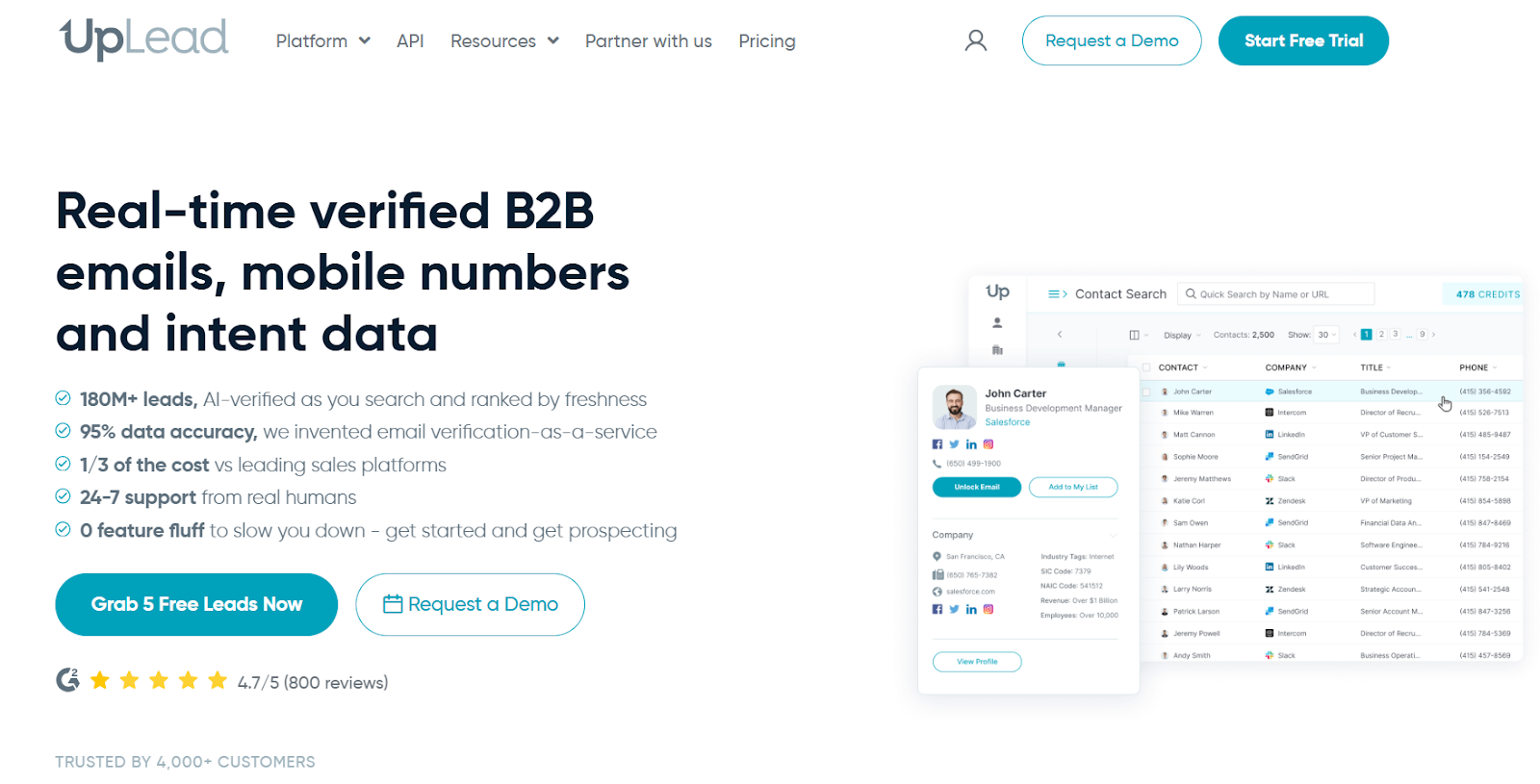
UpLead is a B2B data provider built for finding verified contact details you can use right away.
It focuses on accuracy at the point of export, so emails are checked in real time before you download them.
UpLead has a large contact database and supports deep filtering.
You can narrow lists using 50+ filters like job title, company size, location, tech stack, and buyer intent.
It also provides mobile direct dials, technographic data, and intent signals.
Why Is UpLead a Better Alternative to CuFinder?
UpLead is a better fit when clean exports and buyer intent matter more for your workflow.
Here’s where UpLead can work better:
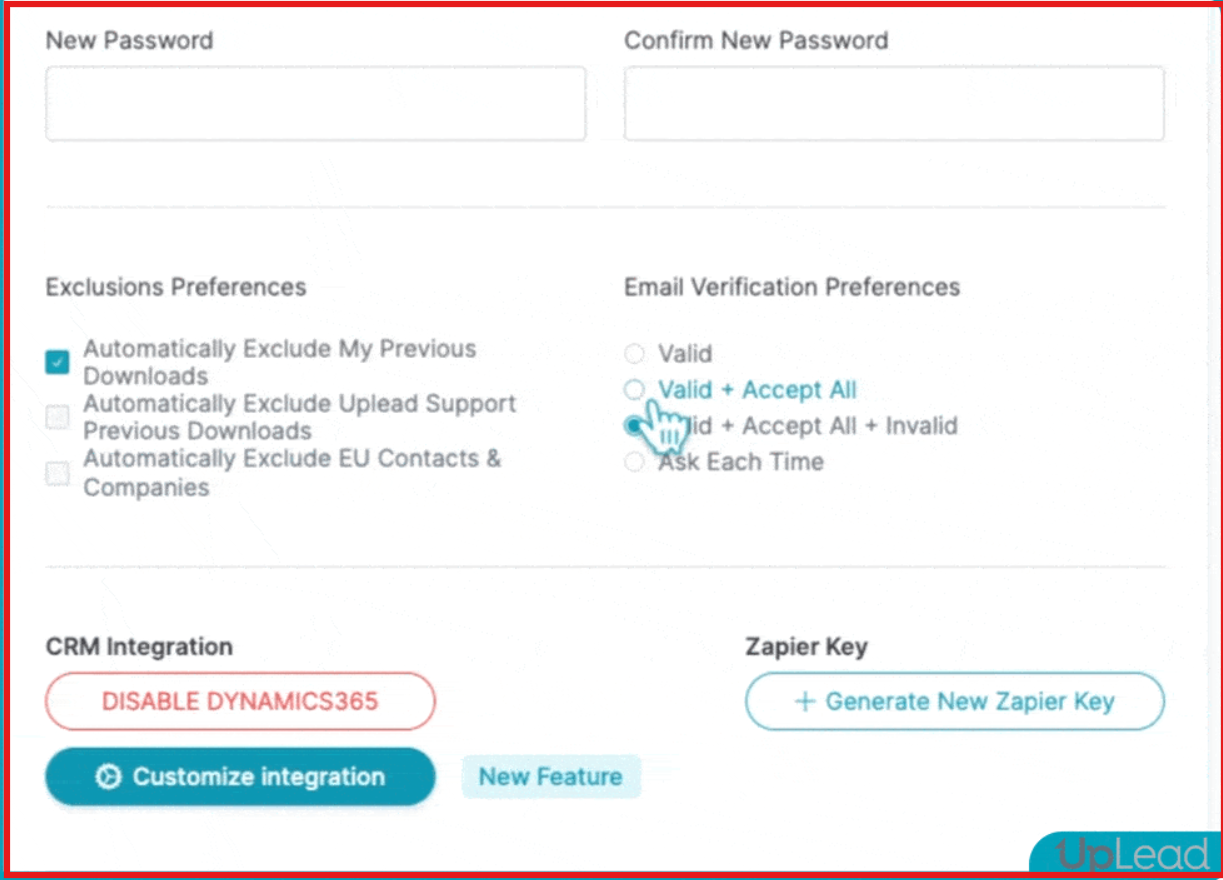
- Email checks at export: UpLead verifies emails when you export them, which helps reduce bounces.
CuFinder also provides verified data and regular updates. But it is more focused on enrichment workflows than export-time checks.
- Buyer intent signals: UpLead works better if you want to spot accounts that are already showing buying interest.
CuFinder is more suited when the goal is contact and company search with enrichment.
- Sales-first workflows: UpLead is more suited for SDR-led outbound teams. CuFinder works better for mixed teams that need search, enrichment, and data cleanup across sales, marketing, and recruiting.
Pros of UpLead
- Real-time email verification before export
- Buyer intent data for prioritizing in-market accounts
- Mobile direct dials for calling workflows
- Strong CRM and outreach tool integrations
Cons of UpLead
- Credit limits can get expensive at scale
- Filters are powerful but take time to configure
- List building still depends on manual filter setup
UpLead Pricing

- Free Trial – 7 days, 5 free credits.
- Essentials Plan – $99/month (170 credits).
- Plus Plan – $199/month (400 credits).
- Professional Plan – Custom pricing (includes Buyer Intent Data, API, and team features).
3. Lusha – A Better CuFinder Alternative for Fast Prospecting & GTM Workflows
G2: 4.3/5
Best For: Quick prospecting with verified emails, phone numbers, and GTM workflows
Lusha is a B2B sales intelligence platform built for fast prospecting inside daily sales workflows.
It provides verified emails, direct dials, and enriched company profiles from a large contact database.
Lusha also supports buyer intent signals, technographic data, and job-change alerts to help prioritize who to contact.
Why Is Lusha a Better Alternative to CuFinder?
Lusha can be a better fit when prospecting speed and GTM workflows matter more than enrichment depth.
Here’s where Lusha can work better:
- Prospecting inside daily tools: Lusha works directly on LinkedIn and websites through its Chrome extension.
CuFinder focuses more on in-app search and enrichment workflows.
- Buyer intent and job-change signals: Lusha includes intent topics and job-change alerts to help time outreach. CuFinder focuses on contact and company search with enrichment.
- Fast list building from browsing: Lusha can be a better fit when prospecting speed and GTM workflows matter more than enrichment depth.
CuFinder can be a better fit when structured search and bulk enrichment matter more than in-browser prospecting.
Pros of Lusha
- Chrome extension for LinkedIn and web prospecting
- Verified emails and direct dials
- Buyer intent and job-change signals
Cons of Lusha
- Phone numbers cost more credits than emails
- Filters and credits need planning at scale
- Enrichment depth is lighter than full enrichment tools
Lusha Pricing
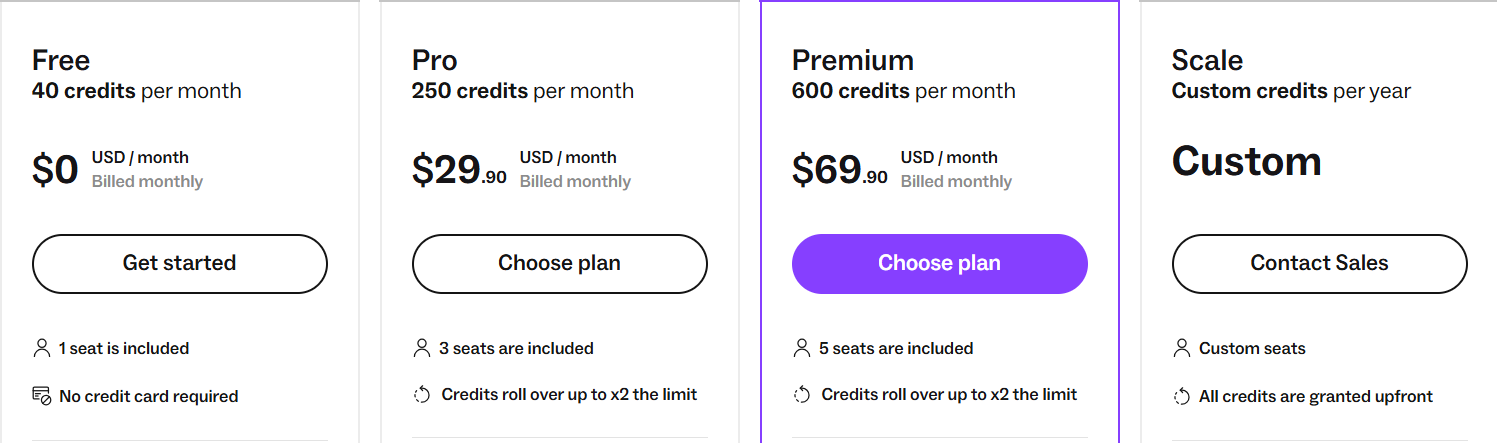
- Free Plan: Includes 40 credits/month for verified emails and phone numbers, plus Chrome extension access.
- Pro Plan – $29.90/month: Includes 250 credits/month, 3 user seats, CRM integrations, and CSV enrichment (up to 300 rows).
- Premium Plan – $69.90/month: Includes 600 credits/month, 5 user seats, advanced analytics, and CSV enrichment (up to 500 rows).
- Scale Plan – Custom Pricing: Custom seats, custom credits, CSV enrichment up to 10,000 rows, API access, SSO, and dedicated success support.
Note: Lusha uses a credit-based system, where emails and phone numbers require different credit amounts.
4. Seamless– CuFinder Alternative for High-Volume Prospecting
G2: 4.4/5
Best For: Real-time research on large contact databases with buyer intent and job-change signals

Seamless is a B2B sales intelligence platform built for finding contact data at scale.
It focuses on real-time research and validation across a very large contact and company database.
The platform provides business emails, phone numbers, and company profiles, with data refreshed at the time of search.
It also supports buyer intent signals, job-change tracking, and data enrichment to keep records updated.
Why Is Seamless a Better Alternative to CuFinder?
Seamless can be a better fit when large-scale prospecting and real-time data capture matter more than enrichment-only workflows.
Here’s where Seamless can work better:
- High-volume prospecting: Seamless is built for teams pulling large lists and running daily outbound at scale.
CuFinder is often used for lookup and enrichment workflows alongside CRM cleanup.
- Buyer intent and job-change tracking: Seamless includes buyer intent topics and job-change signals to help time outreach.
CuFinder focuses more on search and enrichment than on intent or job-change triggers.
- Prospecting inside daily tools: Seamless supports prospecting on LinkedIn and websites through a Chrome extension. CuFinder workflows are more centered inside the product interface.
Pros of Seamless
- Very large contact and company coverage
- Real-time research and validation at search
- Buyer intent and job-change signals
- Chrome extension for LinkedIn and websites
Cons of Seamless
- Credit limits and pricing can be restrictive at scale
- Data volume can require extra filtering to narrow ICPs
Seamless Pricing
Seamless offers three public plan types:
- Free Plan: 1 user with 50 credits for testing.
- Pro Plan: Paid per user with daily credit refresh and premium features (contact sales for pricing).
- Enterprise Plan: Unlimited users, custom credits, advanced support & compliance (contact sales for pricing).
5. Lead411 – Ideal CuFinder Alternative for Sales Intelligence & Intent Signals
G2: 4.5/5
Best For: Sales teams that need verified contacts plus growth intent signals
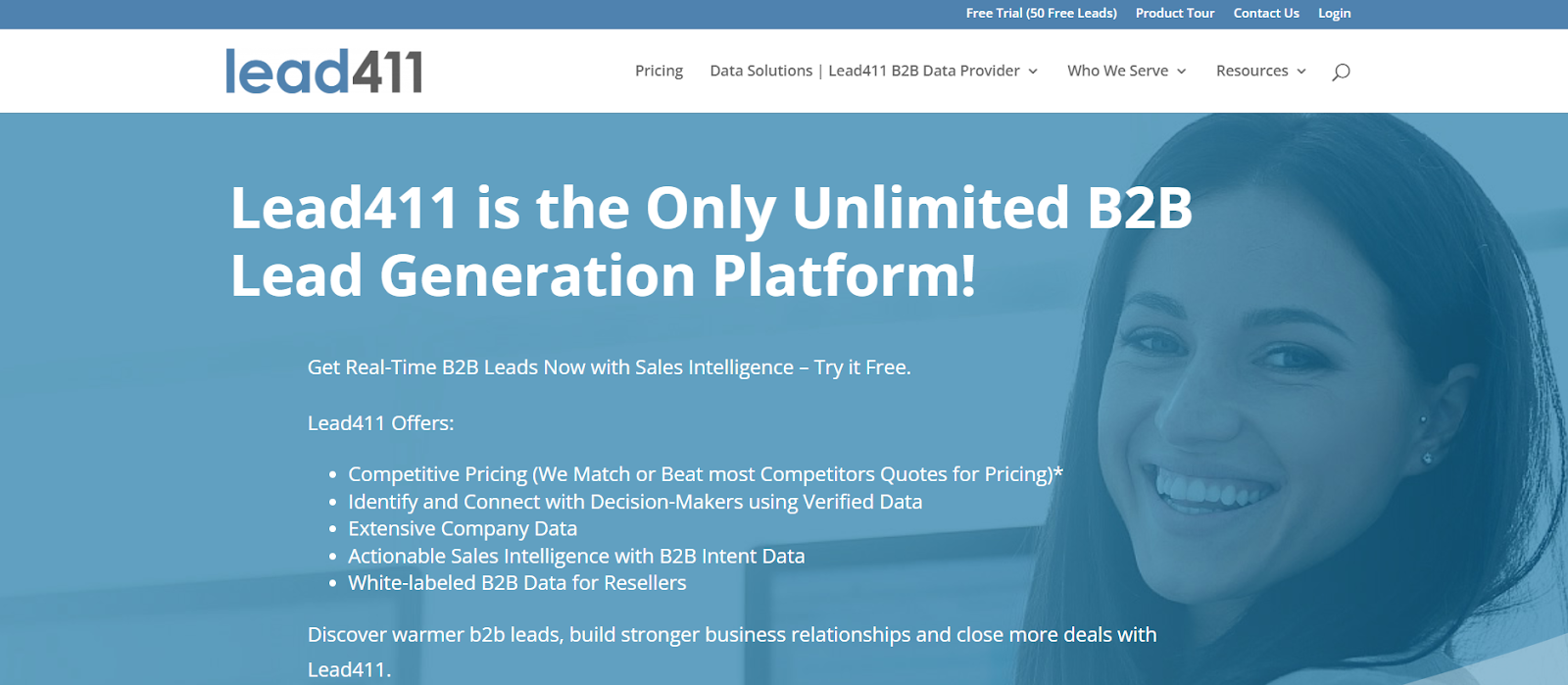
Lead411 is a B2B lead generation and sales intelligence platform built for teams that want contact data plus buying signals in one place.
It focuses on giving verified emails, direct dials, and company data, along with growth and intent signals to help time outreach better.
Lead411 adds context around which companies are hiring, raising funds, or expanding.
For SDR-led teams, this makes list building feel more sales-driven instead of only data-driven.
Why Is Lead411 a Better Alternative to CuFinder?
Lead411 can be a better choice when knowing who to contact at the right time matters more than having a very large data database.
Here’s where Lead411 can work better:
- Knowing when to reach out: Lead411 shows buying and growth signals, which can help decide who is more likely to reply now.
CuFinder is built more for finding and enriching contact and company data, not for timing outreach.
- Picking hot accounts vs building big lists: Lead411 helps sales teams pick accounts that look ready to buy.
CuFinder is better when the goal is to build large lists and clean CRM data.
- Sales teams vs mixed teams: Lead411 is mainly built for SDRs and sales teams doing daily outreach.
CuFinder is used by sales, marketing, recruiters, and data teams for search and enrichment.
Pros of Lead411
- Growth intent and buyer intent signals
- Verified emails and direct dials for calling
- Sales triggers like hiring and funding alerts
- Unlimited search on some plans
Cons of Lead411
- Intent data is more useful for outbound teams than enrichment-heavy workflows
- Pricing scales with usage and plan level
- Interface and filters can take time to learn
Lead411 Pricing
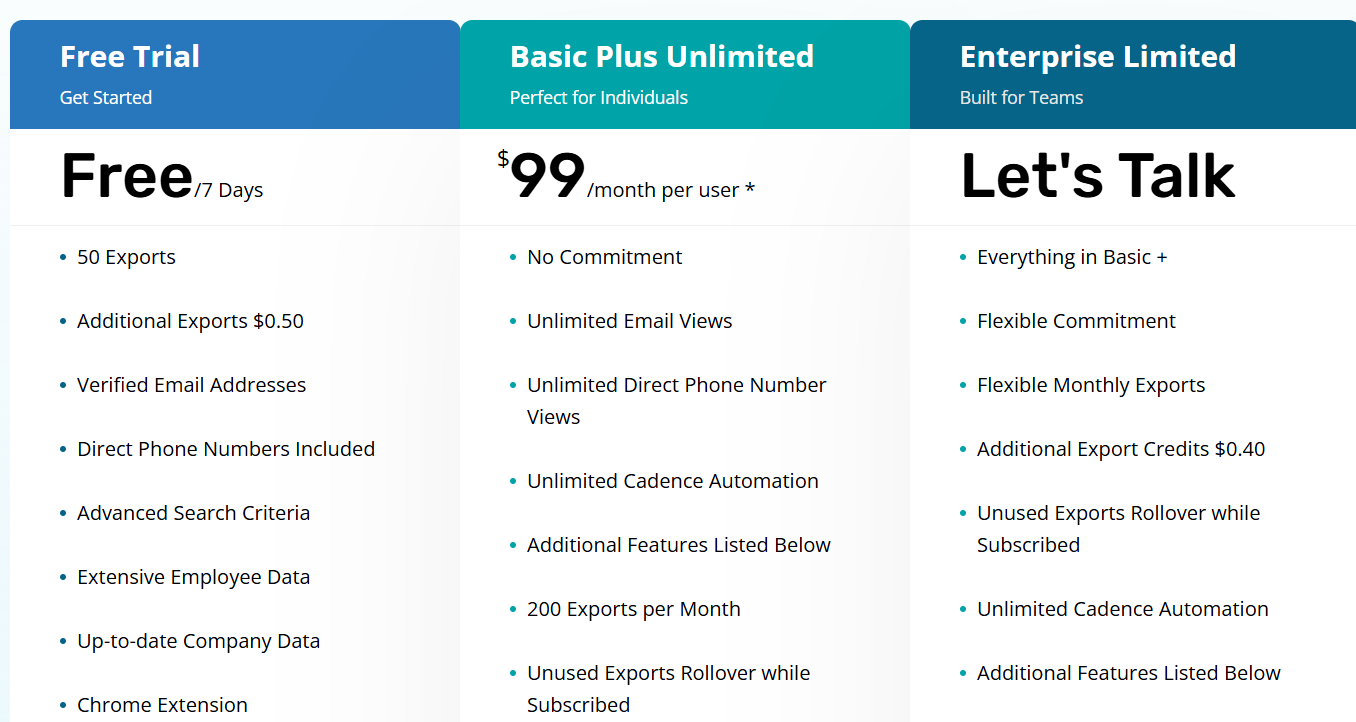
- Free trial: 7-day trial with up to 50 free leads.
- Paid plans: Start at $99/month.
- Unlimited plans: Available on higher tiers.
- Custom plans: Offered for teams and resellers.
Which CuFinder Alternative Should You Choose?
This brings the comparison to a close.
The right choice depends on how you build lists and how you run outreach every day.
Some teams start with a few names and want better data on them.
Others start with an idea and need a full list built from scratch.
If most of your time goes into enrichment and data cleanup, CuFinder can still do the job.
If your day is more about finding new prospects and moving fast, the alternatives in this guide are easier to work with.
When I had to pick one place to begin, I started with Leadsforge.
It let me turn an ICP into a real list without spending time on setup.
You can test it with the free credits and see how the results look for your market.
Once the list is ready, I usually send it to Salesforge and run sequences from there.
Try Leadsforge now with 100 free credits.